
Business Intelligence for Tally New
SaralBI
Your Tally data, turned into live dashboards and decisions.
SaralBI connects to TallyPrime (and Tally ERP 9), syncs your masters and vouchers on a schedule into a secure reporting database, and gives owners and managers clear, drill-down dashboards on desktop and mobile. Stop exporting to Excel every month-end — see the numbers as they happen.
- Auto
- Scheduled Tally sync
- 30+
- Ready-made reports
- 1-click
- Excel & PDF export
Sales (MTD)
₹48.6L
+12.4%Receivables
₹21.3L
−3.1%Stock value
₹1.12Cr
FIFOAgeing
Godown stock
See it in action
The real SaralBI screen
No stock images — this is the actual software your team will use.
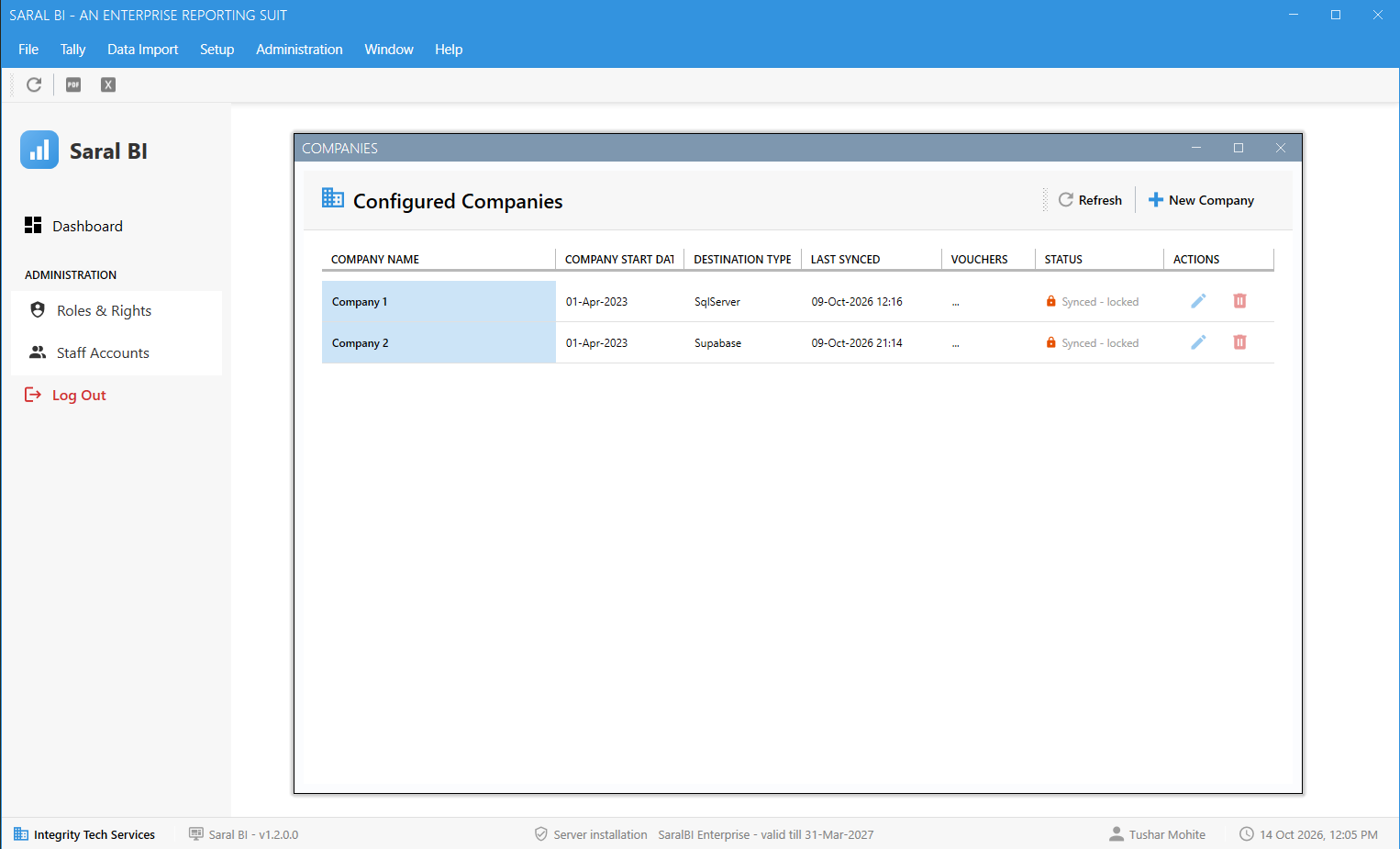 Click to enlarge
Features
Everything you need, nothing you don’t
Automatic Tally sync
Pulls ledgers, stock items, godowns and vouchers through Tally’s XML interface on a schedule you choose. Works with Tally on Cloud setups too.
Sales & purchase analytics
Trends by month, customer, item, salesperson and region — with period-over-period comparison.
Godown-wise stock summary
Opening, inward, outward and closing stock per godown, with FIFO or weighted-average valuation.
Receivables & payables ageing
Bill-wise outstanding with 0–30 / 31–60 / 61–90 / 90+ buckets so you know exactly who to follow up with.
GST summaries
Tax-rate-wise and party-wise GST views that make reconciliation with returns faster.
Multi-company view
Consolidate several Tally companies or branches into one dashboard, or switch between them in a click.
Drill down to voucher
Click from a total to the ledger, from the ledger to the voucher — every number is traceable.
Role-based access
Owners see everything; branch managers and sales teams see only what they need.
How it works
Up and running in 3 simple steps
-
1
Connect Tally
We install a lightweight connector on the machine running Tally and map your companies.
-
2
Sync & validate
Historical data is loaded once, then incremental syncs keep it current. We validate totals against Tally.
-
3
Use your dashboards
Open SaralBI in the browser or on your phone; export to Excel or PDF whenever you need.
Benefits
Why businesses choose SaralBI
- No more month-end Excel exports
- Real-time view of cash, stock and dues
- Numbers that match Tally — fully traceable
- Faster decisions for owners and managers
- Customisable reports for your industry
Ideal for
- Distributors & traders
- Manufacturers
- Retail chains
- Pharma & chemist
- CA firms
- Multi-branch businesses
See SaralBI working with your own data in a free, no-obligation demo.
Book your demoFAQ
SaralBI — common questions
Which Tally versions does SaralBI support?
SaralBI works with TallyPrime and Tally ERP 9 through Tally’s built-in XML/HTTP interface. It also supports Tally on Cloud / remote-server setups.
Do I need to change how I use Tally?
No. Your team keeps working in Tally exactly as today. SaralBI only reads data — it never edits your books.
How fresh is the data?
You choose the sync frequency — every few minutes, hourly or daily. Most clients run an incremental sync every 15–30 minutes during business hours.
Can you build custom reports?
Yes. Industry-specific reports (batch expiry, scheme analysis, salesman incentives, etc.) can be added on request.