
Tally Integration
DataSync
Connect any application or database to Tally — automatically.
DataSync brings data from almost any source into Tally with efficiency and accuracy. Masters such as ledgers, groups and stock items, and transactions such as invoices, receipts and payments, are pushed into Tally on a recurring schedule — eliminating manual data entry and the errors that come with it.
- 6+
- Source types
- 0
- Manual entries
- Auto
- Scheduled sync
Tally
Ledgers 214
Stock items 1,208
Vouchers 3,467
See it in action
The real DataSync screen
No stock images — this is the actual software your team will use.
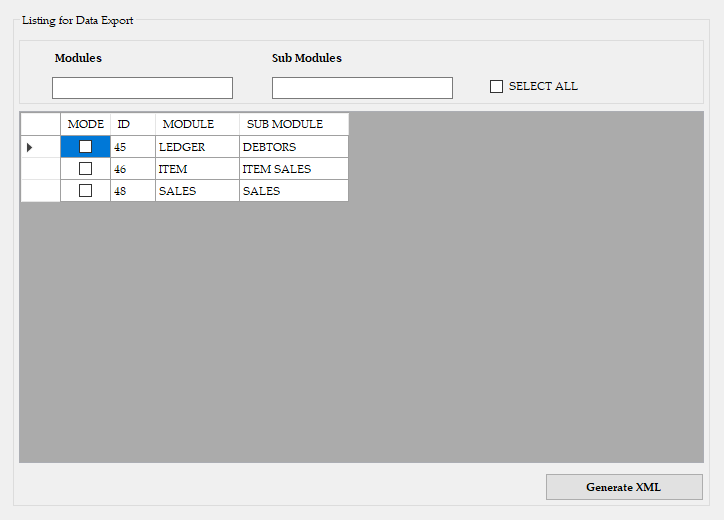 Click to enlarge
Features
Everything you need, nothing you don’t
Any data source
Excel, SQL Server, MySQL, MS Access, REST APIs and text/CSV files.
Masters & vouchers
Ledgers, groups, stock items, units, godowns; sales, purchase, receipt, payment and journal vouchers.
Custom field mapping
Map your columns to Tally fields — including cost centres, batches and GST details — to fit your business.
Scheduled runs
Run every few minutes, hourly or nightly. Incremental syncs push only what’s new.
Validation & error log
Records are validated before posting; failures are logged with clear reasons so nothing is silently lost.
Two-way options
Pull data out of Tally into SQL for reporting, or push data in — or both.
How it works
Up and running in 3 simple steps
-
1
Understand your data
We study your source system and how entries should appear in Tally.
-
2
Map & test
Field mappings are configured and tested on a copy of your Tally company.
-
3
Automate
DataSync is scheduled to run unattended, with logs and alerts.
Benefits
Why businesses choose DataSync
- Eliminates repetitive data entry
- Fewer human errors, consistent books
- Saves hours of staff time every week
- Up-to-date data in Tally for decisions
Ideal for
- E-commerce sellers
- Retail & chemist
- Import & export
- Jewellery
- Trade finance
- Businesses with custom software
See DataSync working with your own data in a free, no-obligation demo.
Book your demoFAQ
DataSync — common questions
Do I need TDL customisation in Tally?
Usually not. DataSync uses Tally’s standard XML interface. Where special fields are needed we advise on the minimal configuration.
What if a record fails to import?
It is logged with the exact reason (e.g. missing ledger) and can be retried after correction — the rest of the batch continues.
Can it handle large volumes?
Yes. Data is sent in batches, and incremental syncs ensure only new or changed records are processed.